
The brand-new CAS ICT Helpdesk Portal allows staff and clients of the Archdiocesan ICT Services Team to request assistance via the helpdesk, or through channels for specific types of requests.
This means your request arrives to our staff with all the details we require to get it resolved as quickly as possible for you!
What do you need?
- An internet connection
- A reasonably clear understanding of the problem or need for assistance.
- (Optional) An ICT Portal Account
- See our 'Creating an ICT Portal Account' for assistance
Raising a new request;
- Visit the CAS ICT Service Portal by navigating to https://helpdesk.sydneycatholic.org
- Select 'Submit a request' in the upper right hand corner of the website.
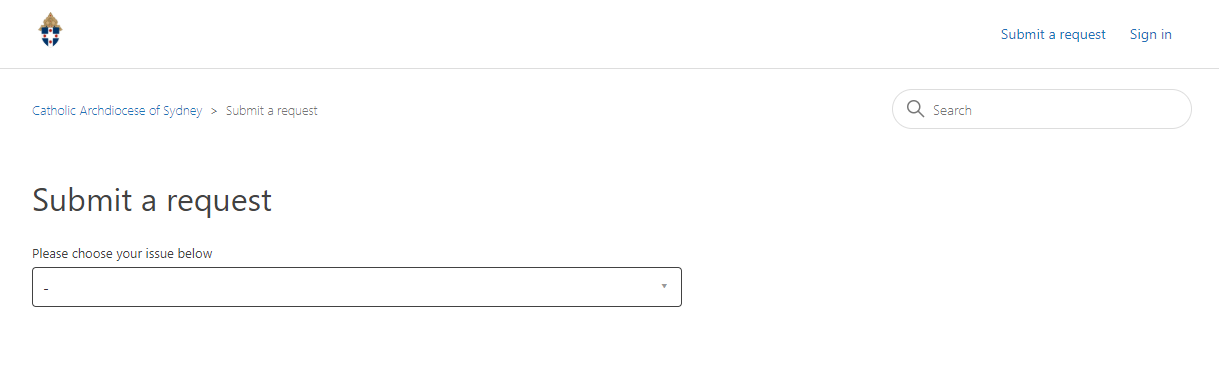
- Select the type of request you need to submit, and fill out your email address, the subject and description of your request, and the priority of the request.
- You can refer to our documentation about Ticket Priorities to help understand how our classification works.
- Select the Incident Source, which is the system affected by, or causing, the incident you are reporting.
- If you have any relevant attachments, such as screenshots, log files, or other documents that can help us resolve your case, attach them to the ticket.
- Finally, click 'Submit'.
- You may need to solve a 'ReCaptcha' test to help us reduce spam.
Important: If your ticket is classified as 'Urgent', we ask that you follow up the ticket with a call to the service desk. We will triage the ticket immediately and may have additional questions, or may re-prioritise the request if necessary.
Comments
0 comments
Please sign in to leave a comment.