Go to Taskbar

Click Notification symbol next to the time on your taskbar in the bottom Right hand Corner

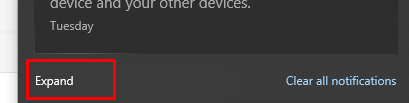
Click Expand on the Left
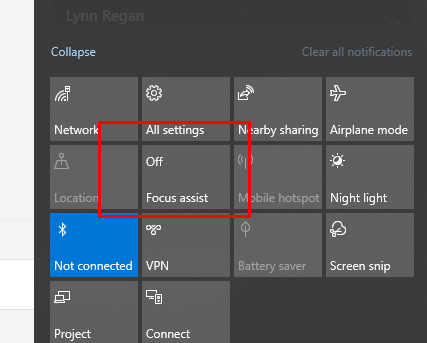
Click Focus Assist Twice
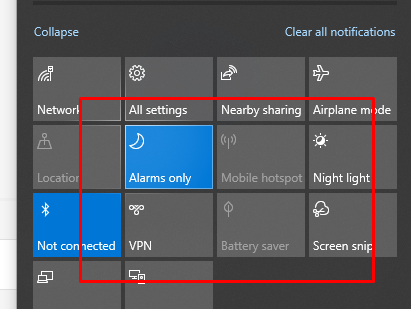
It now should say Alarms only, no notifications will come in until this is off

Go to Taskbar
Click Notification symbol next to the time on your taskbar in the bottom Right hand Corner
Click Expand on the Left
Click Focus Assist Twice
It now should say Alarms only, no notifications will come in until this is off
Comments
0 comments
Article is closed for comments.